

ContentCheckr
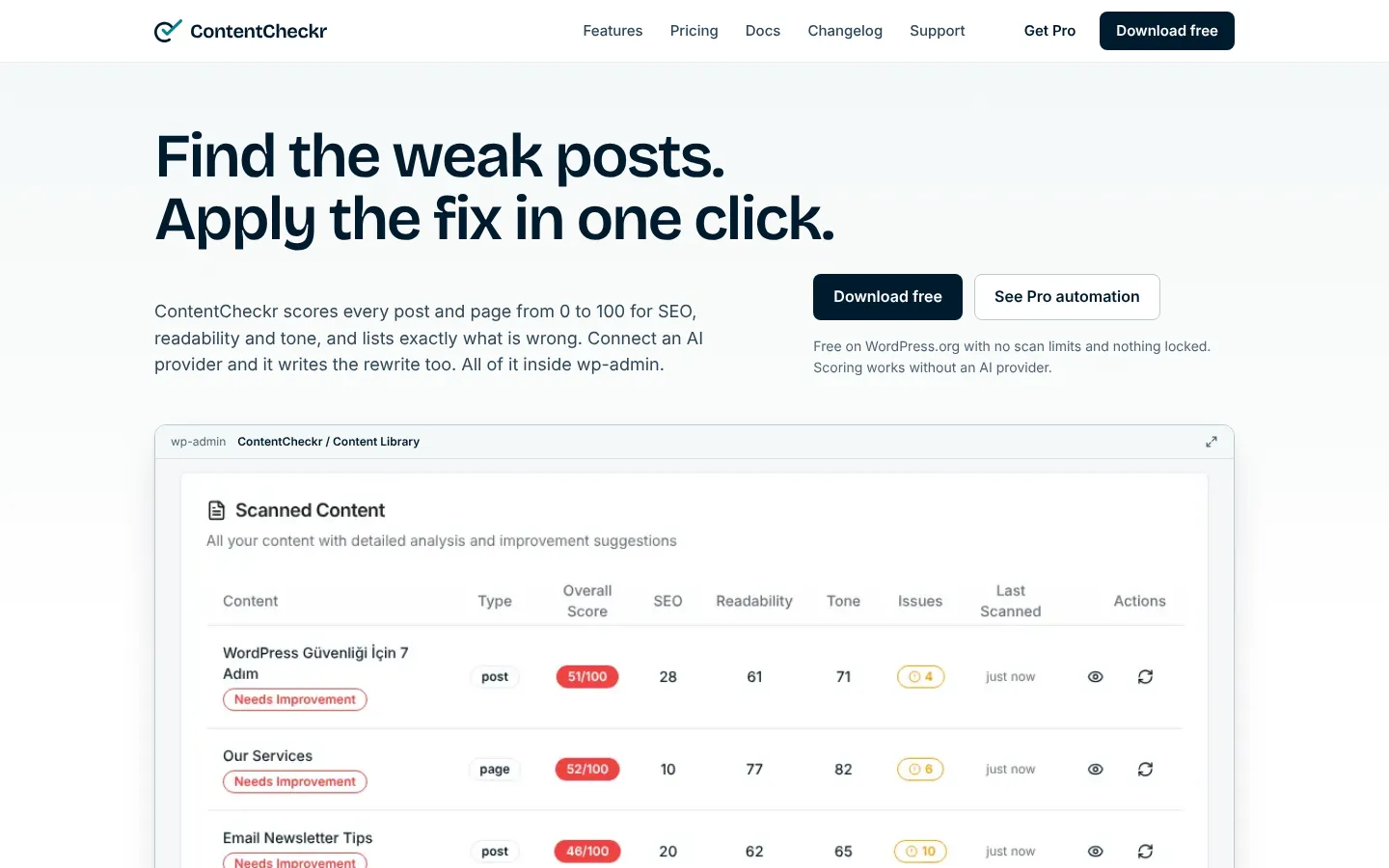
ContentCheckr is a content scoring and fixing plugin Corrplus built for WordPress sites. It scores every post and page from 0 to 100 for SEO, readability and tone, and lists the issues that cost points. Connect an AI provider and it writes the replacement text too, and puts it in the post when you approve. The free version is on wordpress.org with no scan limits.
Platform
WordPress plugin
Who it is for
Content teams, blogs and publishers, WooCommerce stores, and agencies running several WordPress sites
Status
Live
1 / 9
What it does
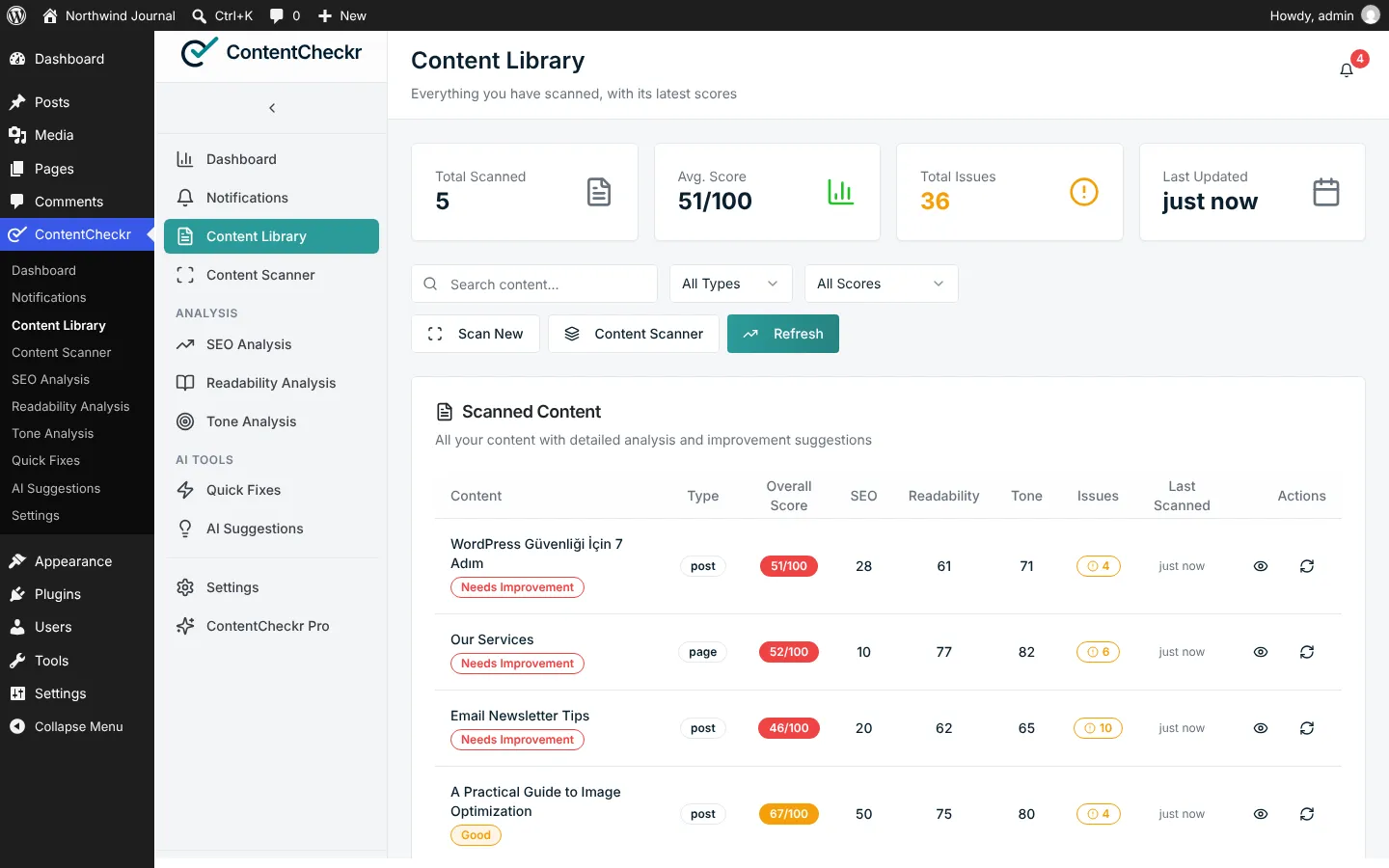
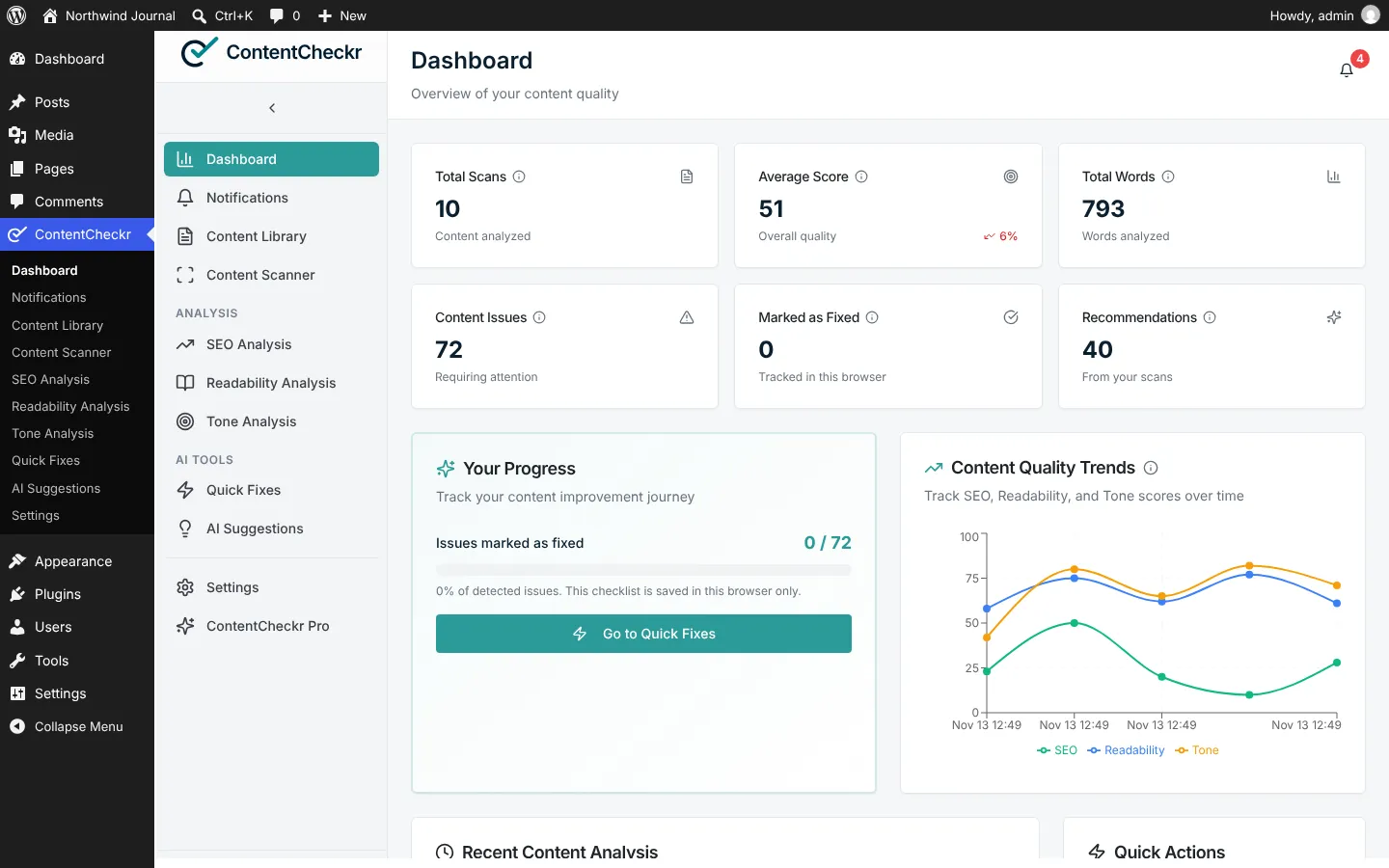
- Three scores, one overall scoreEach scan gives a score out of 100 for SEO, readability and tone. SEO counts for 40% of the overall score, readability and tone for 30% each. Every point lost is tied to a named issue.
- Scoring works without AIAll three scores come from formulas that run on your own server. No account and no AI provider are needed.
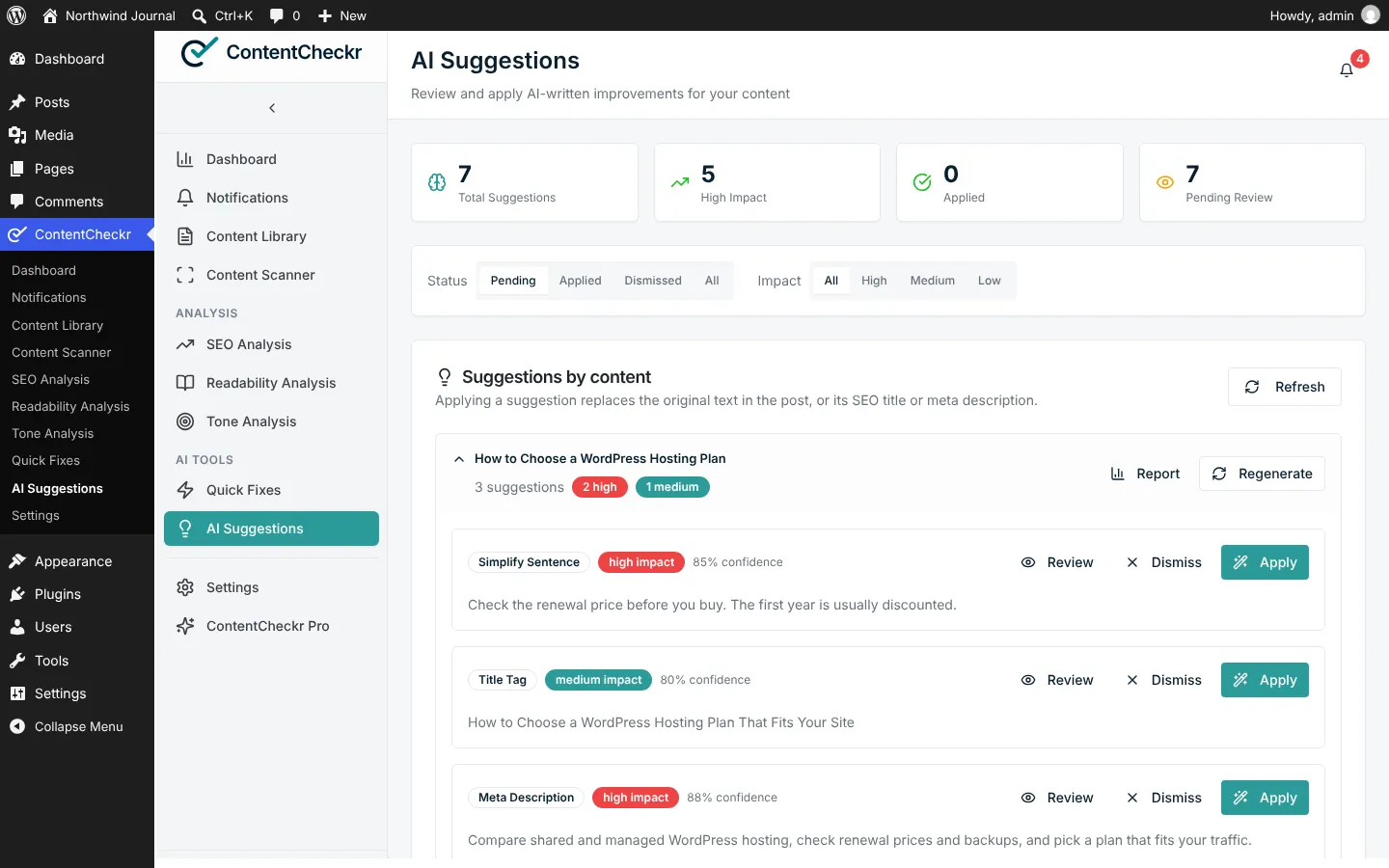
- AI suggestions with one-click applyWith a provider connected it suggests a simpler sentence, a clearer heading or a meta description of the right length. Apply writes it into the post, and WordPress keeps a revision so you can roll back.
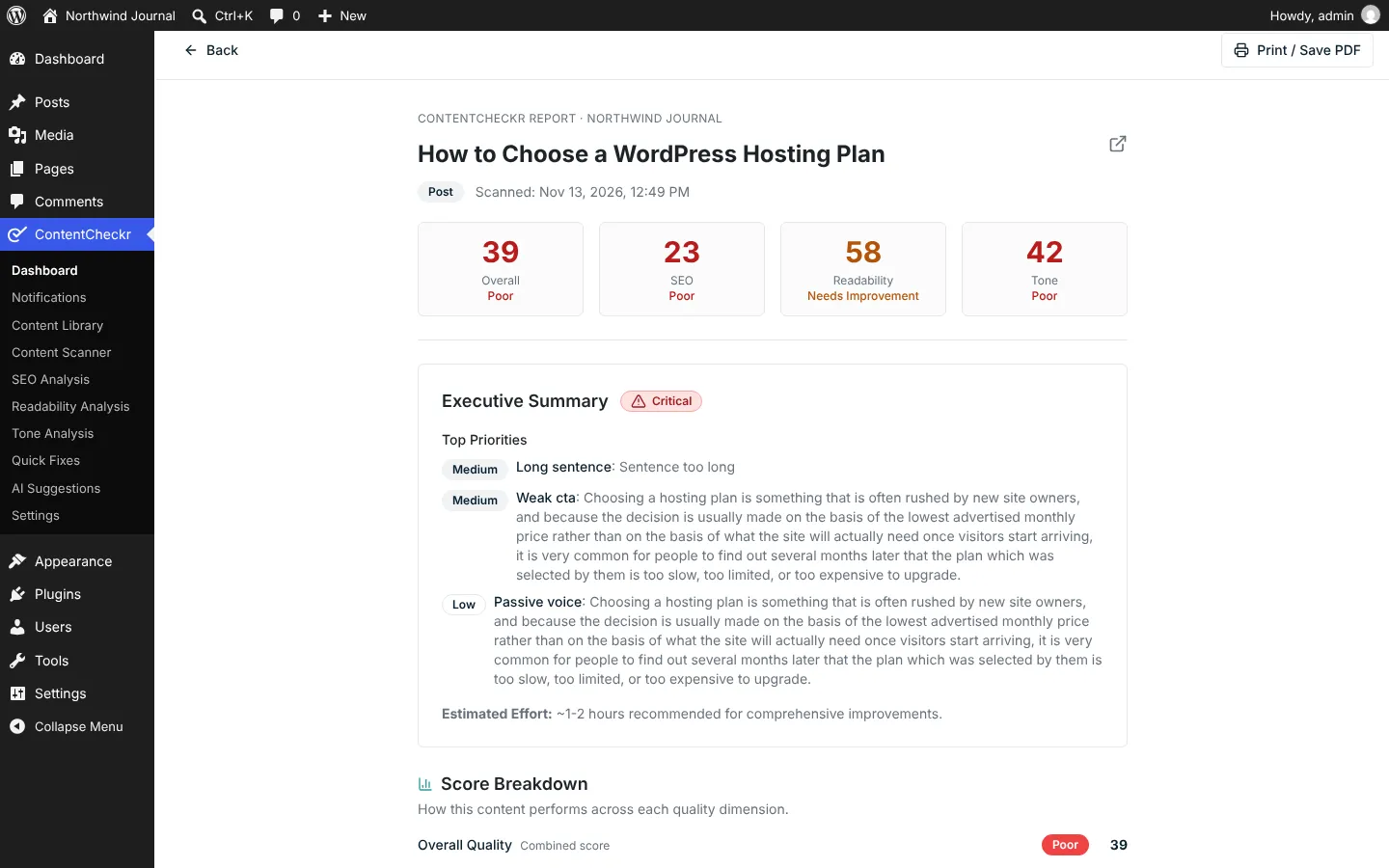
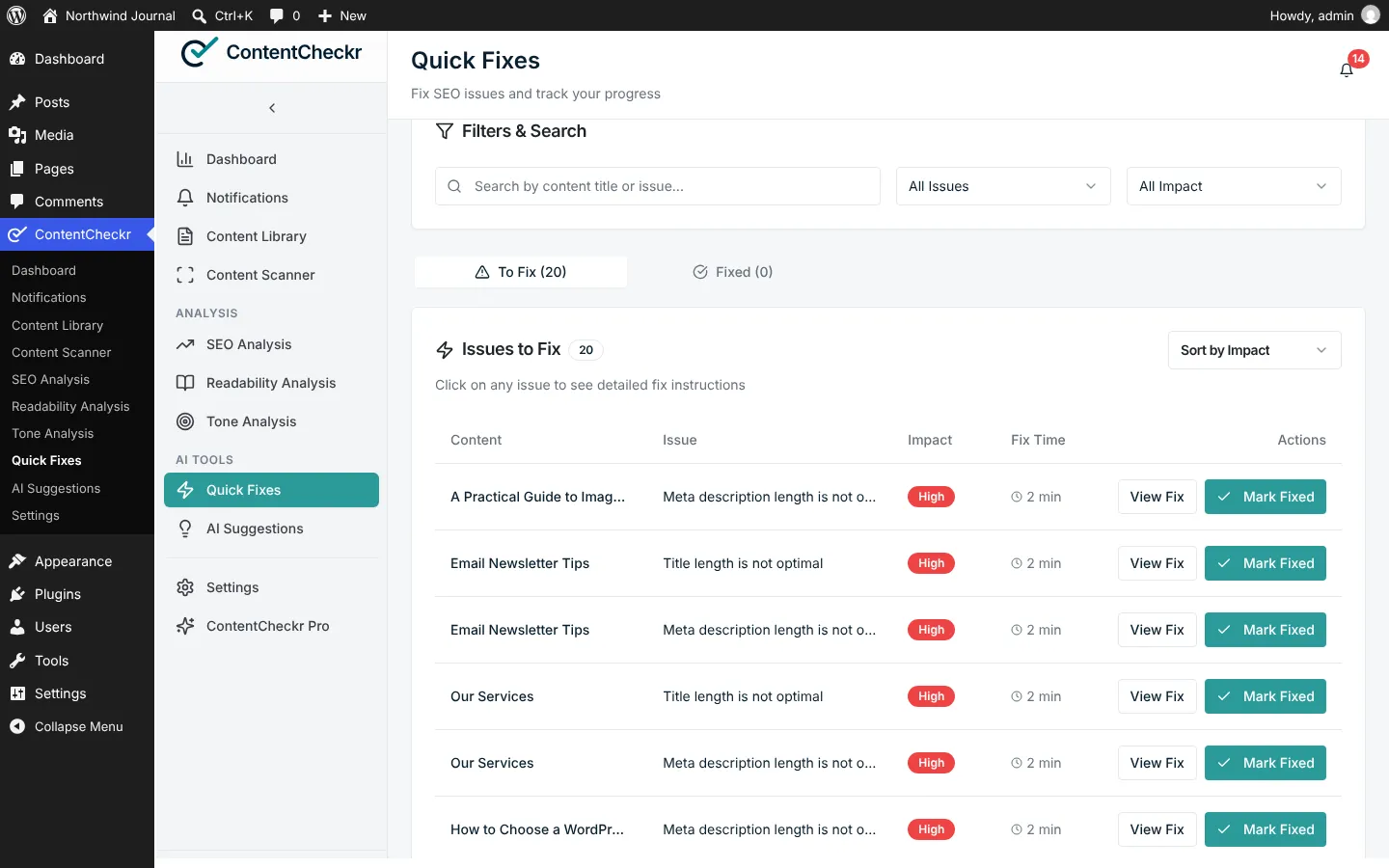
- Quick Fixes and the Content LibraryEvery scanned post sits in one sortable table. SEO issues are gathered in a single queue with an impact level and an estimated fix time, and each post has a printable report.
- Works with your SEO plugin and page builderIt reads the focus keyword, SEO title and meta description from Yoast SEO or Rank Math. Avada, Elementor and Divi shortcodes are rendered to text first, so the score reflects what visitors see.
- Dedicated handling for TurkishThe content language is detected for each post. Turkish has its own readability scoring, and suggestions come back in the language of the post.
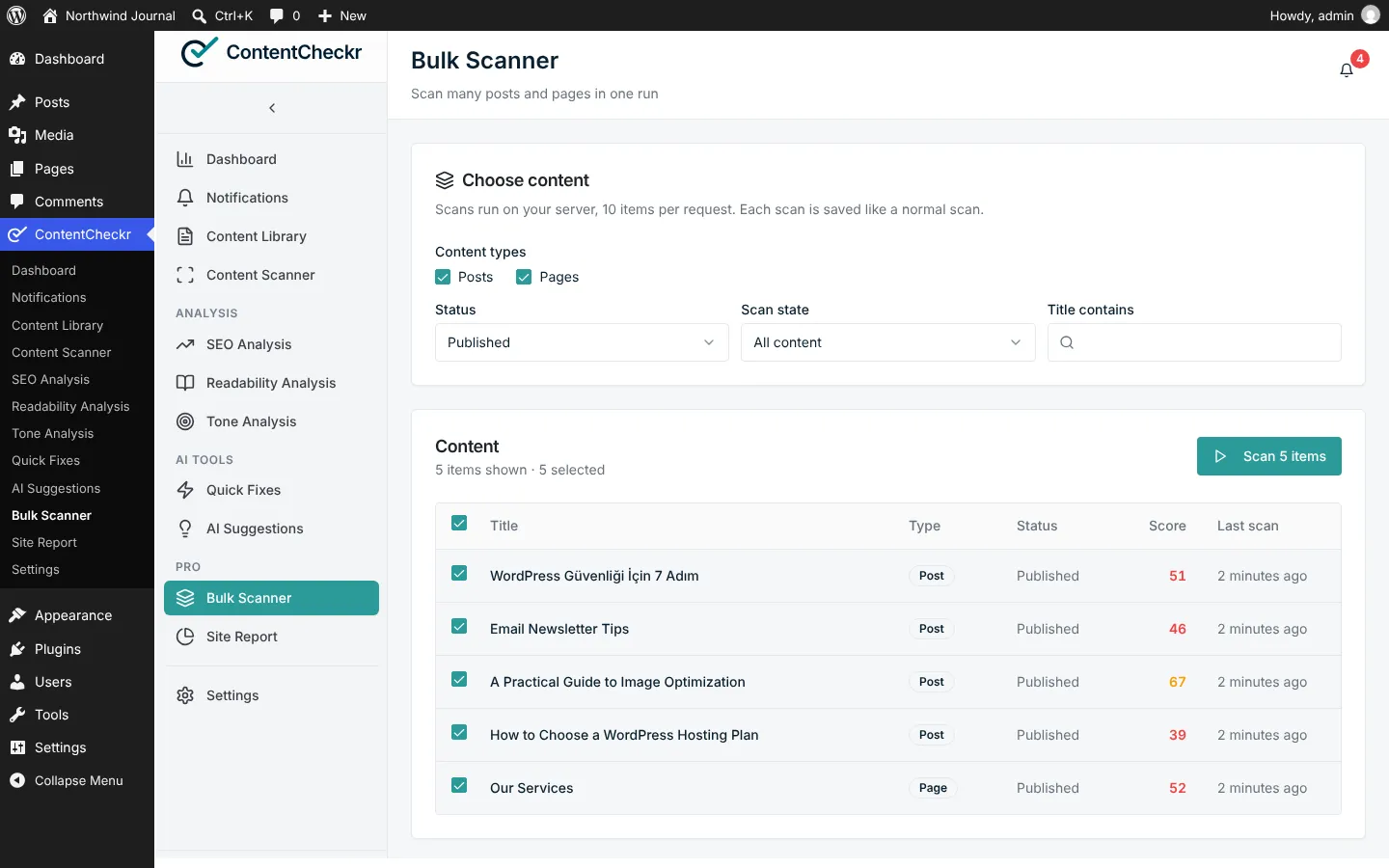
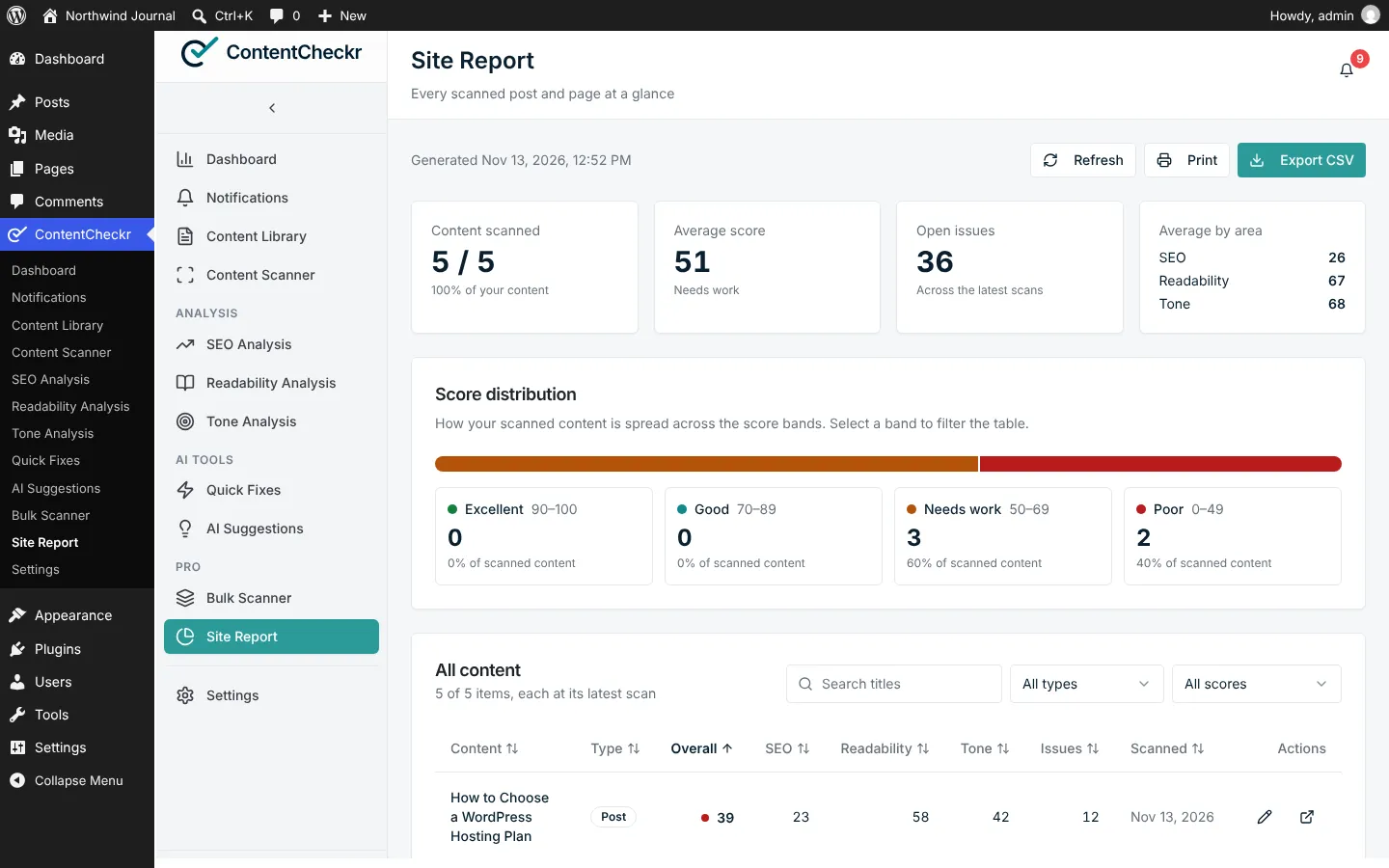
- Pro: automationBulk scanning, auto-scan on publish and update, daily or weekly rescans, email alerts below your score threshold, a weekly digest and a site report with CSV export.
Our own products
We use the tools and checklists from client projects on our own products too.
All products →What does ContentCheckr solve?
As a WordPress site grows, it gets harder to know which posts are weak. Posts with no meta description, a broken heading structure or text that is tiring to read sit in the archive. Most content checkers hand you a list of warnings and leave the fixing to you.
ContentCheckr gives every post a score and the reasons behind it. The score is a to-do list and not a verdict: you see which issue cost how many points. With an AI provider connected it also writes the replacement text and puts it in the post once you approve.
How does it work?
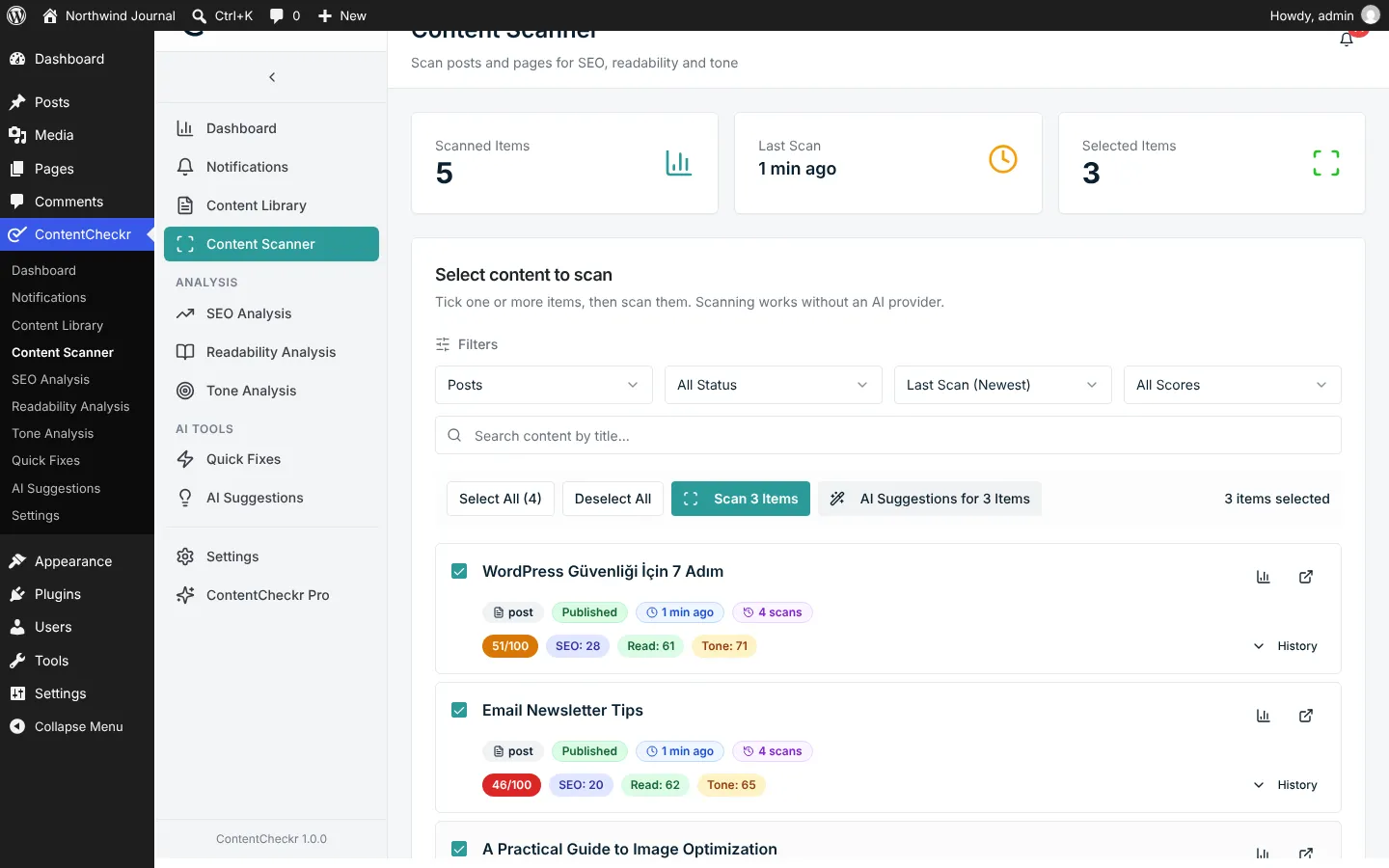
There are four steps. You pick a post or page in the Content Scanner; no AI is needed for this step. The report shows the overall score, the three scores behind it and the issues in order of importance. With a provider connected you ask for suggestions; they are grouped by post and labelled by type and impact. Then you press Apply: the suggestion is written into the post and WordPress keeps a revision. Nothing changes until you approve it.
It needs WordPress 6.2 and PHP 7.4 or later, and all of it runs inside the WordPress admin.
Who is it for?
Blogs and publishers with a large archive, content teams that want several authors to keep one voice, WooCommerce stores reviewing product and category copy, and agencies auditing content on client sites. If you scan posts one at a time, the free version is enough; Pro’s automation matters when hundreds of posts have to stay current.
What does Corrplus carry from here into client work?
The question ContentCheckr answers comes up in most content projects: how do you measure whether a text is good, and how does the measurement turn into a fix? Keeping what a formula can measure away from the model, and putting every AI suggestion through human approval, is the same approach we use in content automation and LLM integration projects.
Publishing the plugin on wordpress.org and keeping it compatible with SEO plugins and page builders is part of the experience behind our WordPress and web development work. Where content sits in search and in the customer journey is covered by our customer experience and marketing service. If you want visitor questions answered from your content, our sister product Promptor does that.
Frequently asked questions
Do I need an AI provider to use ContentCheckr?
Not for scoring. The SEO, readability and tone scores come from formulas that run on your server. A provider is needed only for AI suggestions and for the optional AI readability review.
Which AI providers does it work with?
On WordPress 7.0 or later it can use the provider you connected under Settings, Connectors in WordPress. On every supported version it also works with your own OpenAI API key. Your provider bills you directly for usage; ContentCheckr charges nothing per scan or per suggestion.
Where is my content sent?
Scoring happens on your server and the content goes nowhere. For AI features the post text goes from your WordPress server straight to the provider you chose; no Corrplus server sits in between. If your content includes personal data, review your privacy notice and any cross-border transfer questions with your legal counsel.
How does the free version differ from Pro?
The free version is the whole analyser: unlimited scans, all three scores, AI suggestions and one-click apply. Pro does not change the analysis, it automates it: bulk scanning, automatic and scheduled scans, email alerts, a weekly digest and the site report. Pro licences are annual or lifetime.
Does it replace Yoast SEO or Rank Math?
No. ContentCheckr works alongside them and reads the focus keyword, SEO title and meta description you set there. When you apply a meta description suggestion, it is saved where your SEO plugin reads it.
Let’s talk about your transformation
Tell us which work repeats every week. We will tell you honestly whether it is worth automating.
How we start
- A free first callWe pin down the problem and the goal together.
- A 2-week discovery sprintWe look at the data, the process and the tools, and decide where to start.
- A written proposalScope, architecture and timeline, in writing.